

Your Employees Are Already Using AI in Breakthrough Ways.
You Just Can't See It.
InQuest AI helps teams share AI conversations and examples of their work. Organize contributions in groups and learn from what colleagues choose to share. This is participant-contributed knowledge, not automatic monitoring of employee AI use.
Discover AI Workflows Your Team Chooses to Share
Start with Your Colleagues' Practical Experience
Invite colleagues across marketing, sales, support, and other teams to contribute examples of how they use AI. Bring these shared conversations and workflows together so others can explore and adapt them.
Key Benefits:
- Collect Voluntary Contributions: Learn which AI tools and workflows colleagues choose to share
- Crowdsource Innovation: Invite colleagues to share examples, explain their approach, and discuss what they learned
- Adapt Shared Approaches: Explore shared workflows and decide what is useful for your own work
- Build Collective Intelligence: Build a collection of examples for colleagues to discuss and learn from
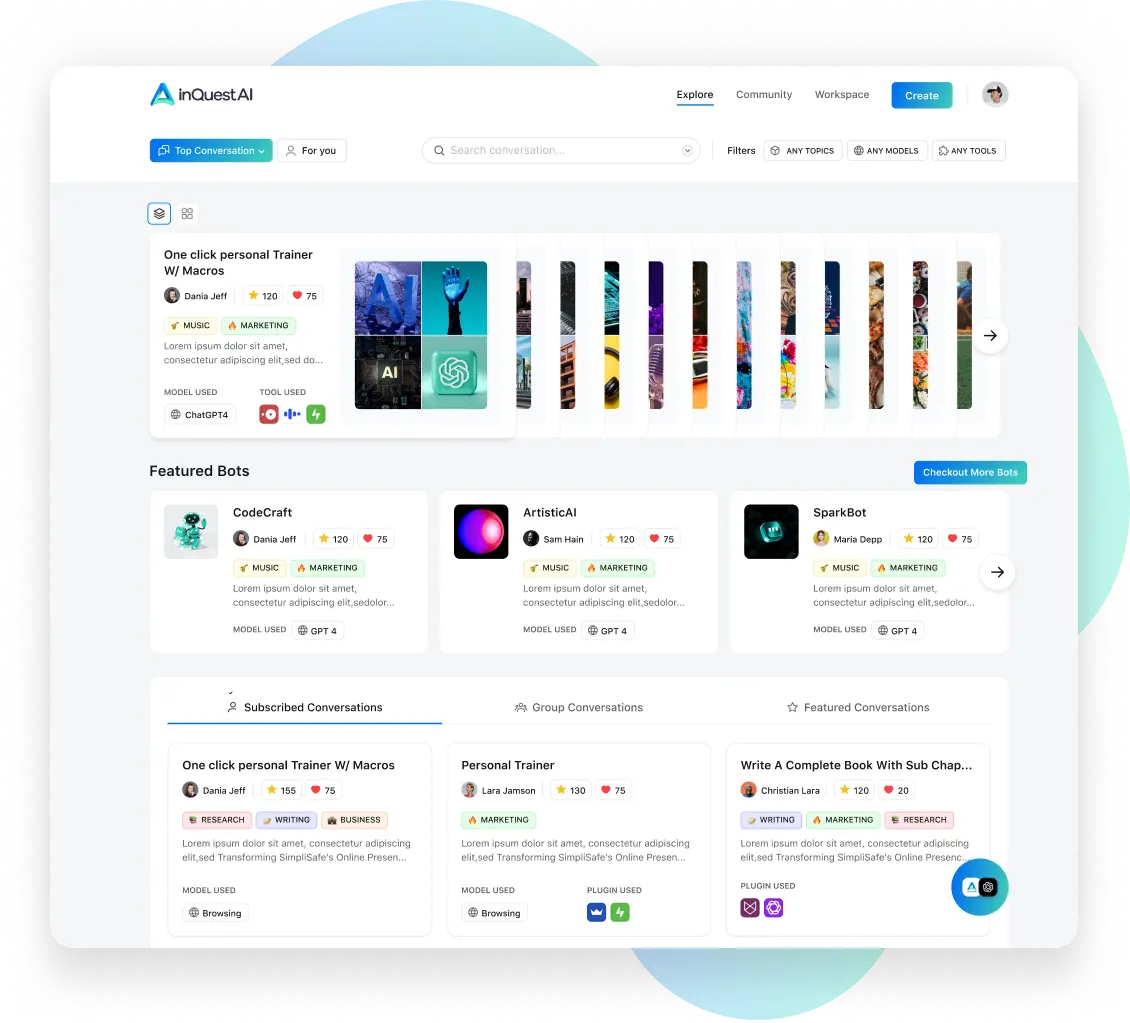
Learn Together Through Shared AI Examples
For Organizations: Share Practical AI Experience
Bring Contributed Examples Together for Team Learning
Invite colleagues to contribute AI conversations and examples of their work. Organize those contributions in groups and discuss which approaches may be useful to your team. Your collection reflects what participants choose to share.
- Learn from Contributors: Explore examples shared by colleagues and learn about their process
- Encourage Knowledge Sharing: Invite participants to contribute examples and discuss what worked or needed improvement
- Compare Approaches: Discuss shared workflows with colleagues before adapting them to another context
- Organize Group Contributions: Bring shared examples together in groups, using the available membership and content visibility settings
For Higher Education: Discuss AI Use Together
Explore Examples Contributed by Faculty and Students
Invite faculty and students to contribute AI conversations and examples for discussion in a course or department. Compare approaches and limitations, and set expectations for responsible sharing. Contributions reflect participating users, not a complete inventory of campus AI use.
- Contributed Examples: Discuss examples that participants share from teaching, learning, and research
- Crowdsourced Best Practices: Let pioneering faculty and students share what works
- Department Discussion: Bring colleagues together to compare contributed approaches and limitations
- Responsible Sharing: Discuss expectations for attribution and appropriate AI use in your course
The AI Discovery Platform
Explore conversations and examples that participants choose to share:
Shared AI Conversations
Explore conversations contributed by the community. Use shared examples to find prompts and approaches you can adapt to your own work.


Groups for Team Knowledge Sharing
Use groups to bring team contributions together:
- Share examples with the intended audience using content visibility settings
- Document successful workflows and experiments
- Build your internal library of AI best practices
- Discuss approaches and limitations with colleagues
Choose What to Share: Review group membership and content visibility settings, and follow your organization's rules for information sharing.
Challenge-Driven Discovery
Explore challenges and contribute an example:
- Discussion Prompts: "Show us your biggest AI time-saver this week"
- Task-Specific Competitions: "Best AI solution for customer support"
- Share Your Process: Explain the approach behind your contribution
- Compare Contributions: Learn from how other participants approach a task
Multi-Format Sharing
Go beyond simple text conversations:
- Conversations: Share ChatGPT, Bing, Gemini dialogues
- Micro Apps: Build and share custom AI tools
- Video Demonstrations: Show exactly how you use AI
- Custom Workflows: Document complete processes
The InQuest AI Difference
From Mandate to Movement: Use examples that colleagues choose to contribute as a starting point for discussion. Ask what they tried, what worked, and where they encountered limitations.
The Network Effect of Knowledge: A shared workflow gives colleagues something concrete to explore. Compare it with your own needs and evaluate its limitations before adapting it.
Built for How Organizations Actually Work
- Group Organization: Organize contributed examples in groups
- Cross-Pollination: Learn from how other departments solve similar problems
- Sharing Settings: Review membership and content visibility for your intended audience
- Learn from Contributors: Discuss the experience behind shared examples
Getting Started Is Simple
Create Your Private Group
Sign in to explore groups and available settings
Invite Your Team
Bring in colleagues from across departments
Launch Discovery
Start with a simple challenge: "Share your best AI productivity hack"
Review Contributions
Explore the examples your colleagues choose to share
Adapt What Is Useful
Evaluate shared approaches in your own context


Ready to Share What Your Team Is Learning?
Start with a group, invite colleagues, and ask them to contribute an AI conversation or example. Build a shared collection that your team can explore and discuss.
Browse challenges — account required